

LED MENU BOX
⚠️ Before Installation
• For safe use of this product, we recommend regular maintenance and inspection at least once a year. Over time, wear and tear and loosening of bolts, screws, and other fasteners may occur. To help prevent accidents, inspect the product regularly and repair or replace any damaged parts as necessary.
• Install this product only on walls with suitable backing support.
• When installing on drywall (gypsum board), be sure to securely fasten the product to the backing behind the wall surface.
• When installing on concrete, drill appropriate pilot holes and use suitable concrete plugs or anchors.
• Wall conditions vary depending on the installation environment. Always use a mounting method that provides sufficient strength and stability.
• Be sure to verify the wall material and apply appropriate waterproofing or sealing where required.
If you are unsure whether the installation conditions are suitable, or if you are not confident performing the installation work yourself, please contact a qualified professional installer.
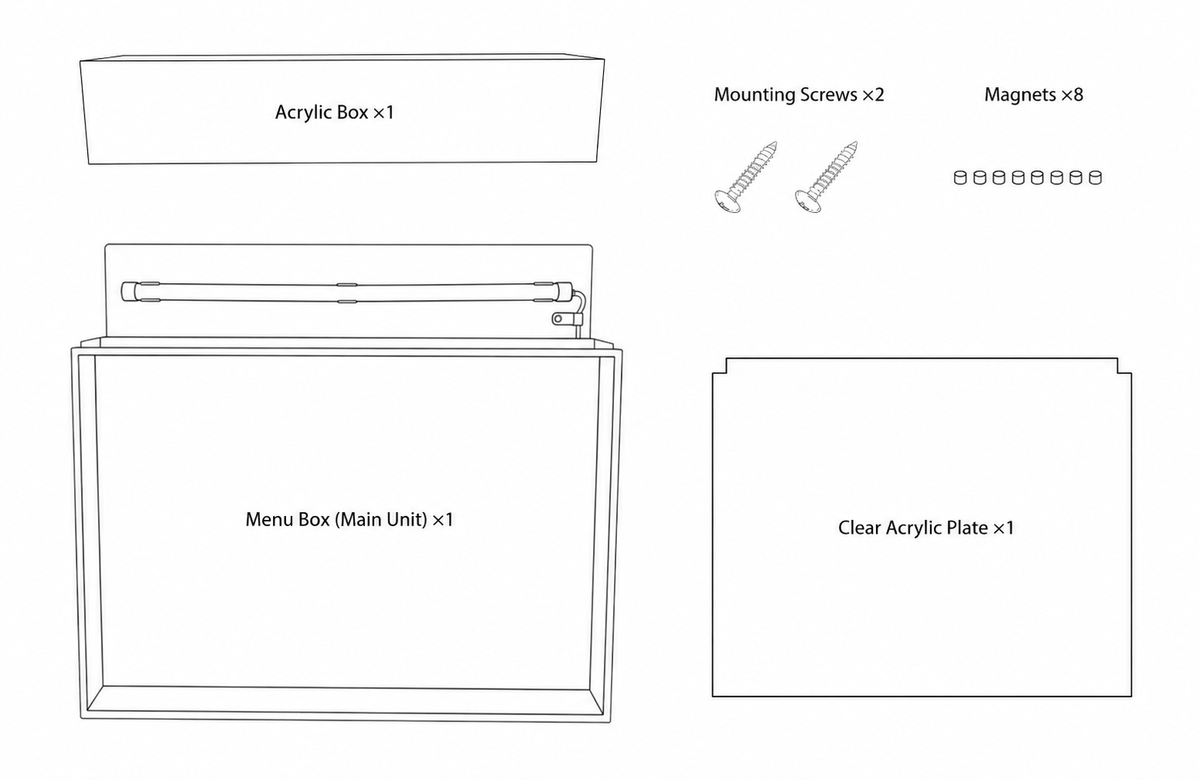
Package Contents
• Menu Box(Main Unit)
• Acrylic Box
• Clear Acrylic Plate ×1
• Mounting Screws ×2
• Magnets ×8
Assembly Instructions
① Apply the Printed Sticker to the front surface of the Acrylic Box.
(View the application instructions here.)
② Drive the mounting screws into the wall, then hang and level the Menu Box (Main Unit) using the keyhole slots on the back of the unit.
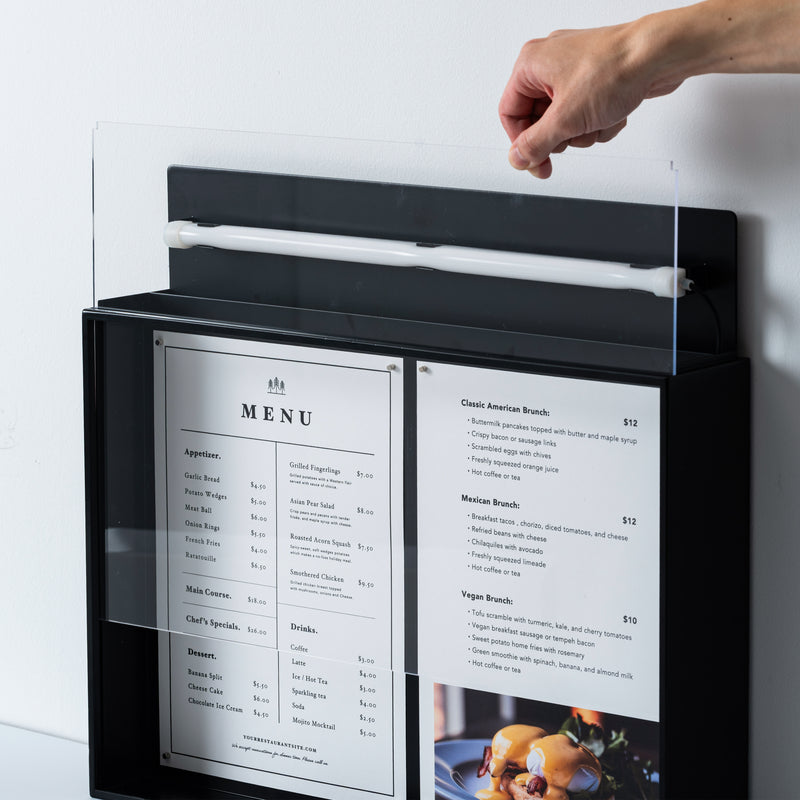
③ Secure the poster using the included magnets. Then insert the Clear Acrylic Plate into the front slot of the Menu Box, making sure the notched edge is facing upward.
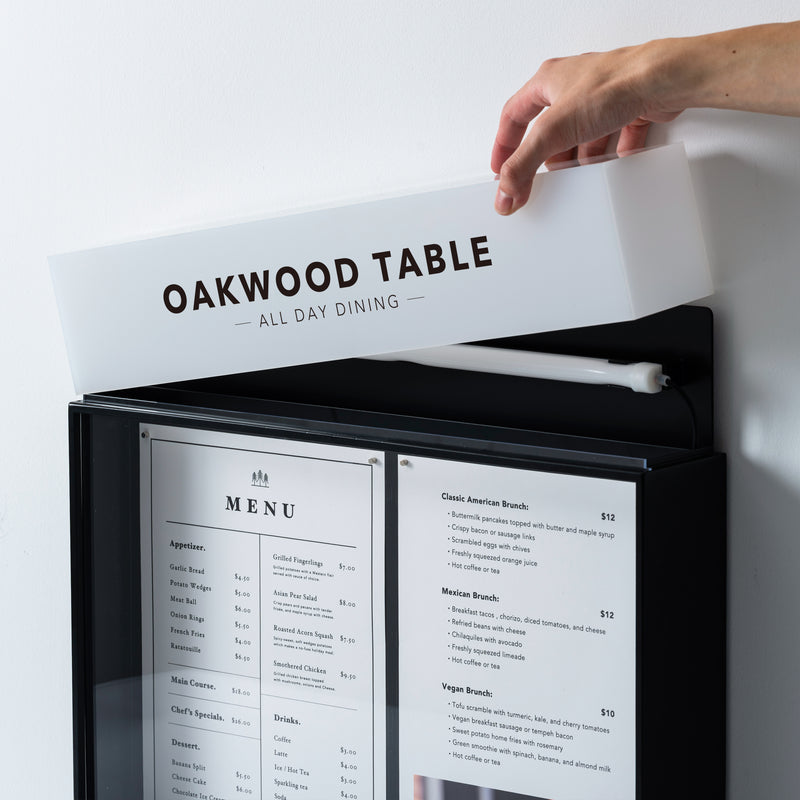
④ Place the Acrylic Box over the top of the Menu Box (Main Unit). Make sure the Acrylic Box is fully seated on the unit and remains stable after installation.
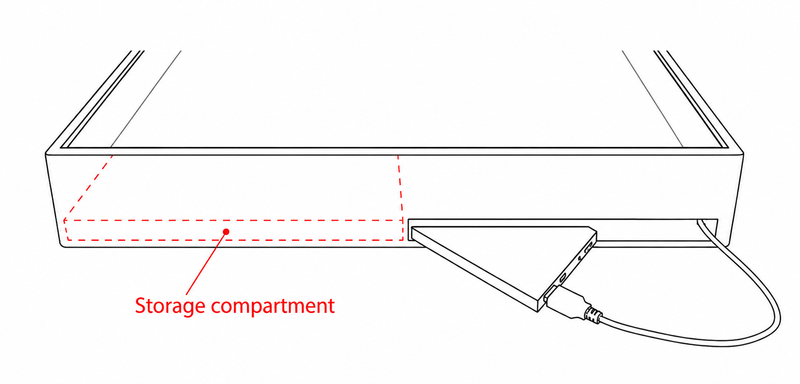
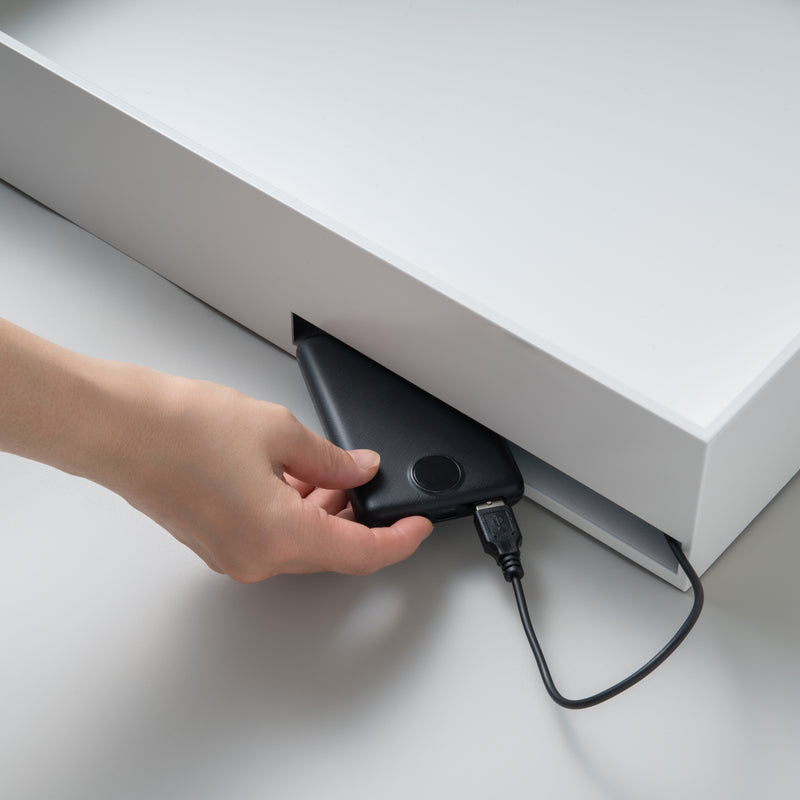
⑤ Connect a portable power bank (maximum thickness: 17 mm) to the battery cable extending from the Menu Box (Main Unit).
Note: Make sure the cable is routed downward before proceeding.
⑥ Insert the power bank from the bottom into the storage compartment located on the left side of the rear of the Menu Box (Main Unit).
⚠️ Power Bank Safety
Due to the enclosed design of this product, heat may accumulate inside the unit during operation.
• Do not use the power bank in high-temperature environments. Avoid use in direct sunlight or extreme heat, especially during summer months. Excessive heat may cause the battery to swell, overheat, or catch fire.
• Perform regular safety checks. Always operate the power bank within the manufacturer's specified temperature range and periodically inspect it for signs of overheating, swelling, or other abnormalities.
• Remove the power bank when unattended. For safety, disconnect and remove the power bank when the business is closed or whenever the unit will be left unattended for an extended period.